
The release candidate (RC) for SmartGit 26.1 is available for download.
SmartGit 26.1 brings a broader visual refresh, stronger GitLab and worktree support, improved AI workflows, Commit Overlap, and Git 3.0 compatibility.
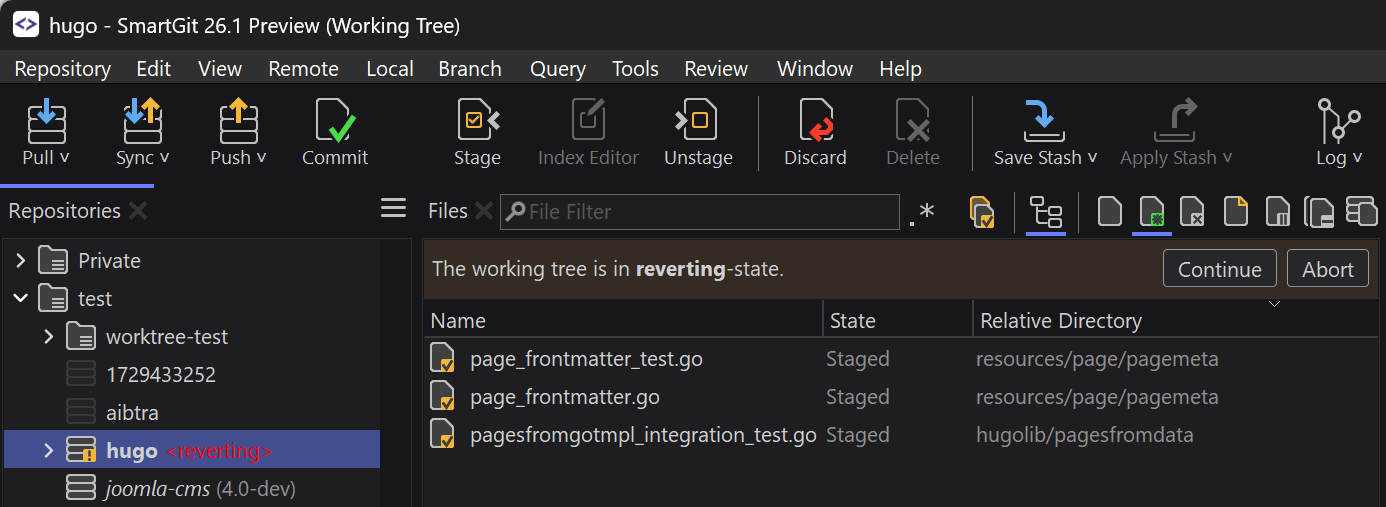
New Features, Improvements
- GUI:
- broader visual refresh with reworked toolbar icons, a darker dark theme, improved compare colors, clearer tab and toolbar states, and several other visual refinements
- better graph and filter visibility with improved ref display, pull request and HEAD icons, and more readable toggle buttons
- Git:
- Git 3.0 compatibility: SHA-256 and reftable support
- AI:
- ‘Ask AI’ dialog for custom prompts for one or more commits
- Edit Message: added AI button to suggest a message
- commit message generation and rewording: support `` and
@aimarker templates - Ask AI now works for merge commits, and AI rewording preserves signatures of signed commits
- commit annotation: improved confirmation dialog and Copy to Clipboard link
- Graph:
- Commit Overlap column to compare selected commit(s) with other commits and highlight overlap or conflict potential
- Move & Squash: support common
fixup!andsquash!commit message prefixes
- Standard window:
- GitLab: merge requests and CI/CD support
- GitLab: direct browsing and commit message creation from GitLab issues
- Pull: clearer current-remote vs. all-remotes behavior, and optional cleanup of merged branches
- Push: honors the ‘Push all tags’ Preferences option
- provider and repository handling improvements, including simpler selection of the last used provider/URL and clearer provider configuration handling
- added Submodule commands and support for annotated tag messages
- easier discovery of the SmartGit main windows
- Worktrees:
- Branches view and Graph show clean/modified state with autorefresh
- clean worktree refs can be dragged in the Graph
- improved Remove, Prune, and Remove Branch workflows
- Refresh:
- performance improvements related to packed-refs and repositories with many notes
- LFS, Lock: can be performed on multiple files at once
- Upgrade dialog on startup: shows also the current version/build