
When I first opened SmartGit, I expected one window. SmartGit had other plans. There are three different window styles: the Standard Window, the Working Tree Window and the Log Window. Of course, I tried all three. But my honest recommendation - especially for other Git newbies - is simple: Start with the Standard Window.
“Standard” may not sound very exciting, but this window is surprisingly powerful and intuitive. It gives you a clear overview of your files, branches and repository history. For me, it is the best place to learn SmartGit and manage my daily work. And it is not only suitable for tech newbies. Software developers can also handle most of their daily Git tasks directly in the Standard Window. If you need a more detailed view, you can switch to the Working Tree or Log Window by simply clicking these symbols.
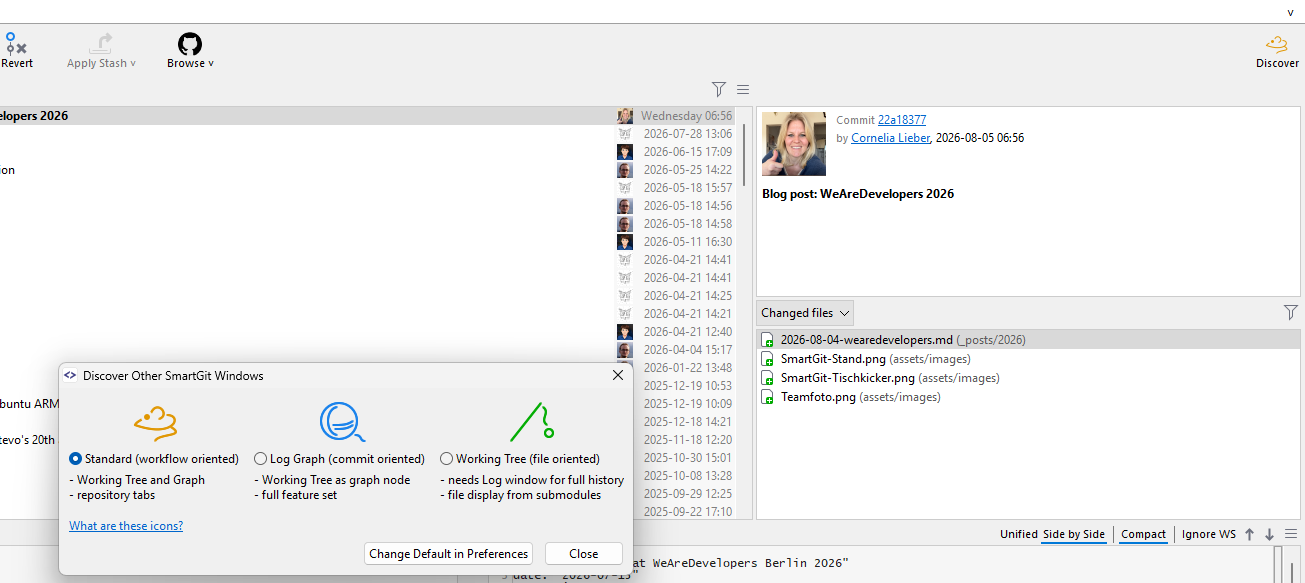
Please note: This quick-switch option is available from SmartGit 26.1.
And why the cat symbols? SmartGit has its own mascot, SmartGitty. So why not use a ball of yarn, a toy mouse and a feather to make the three similar-looking windows easier to recognize? After a while, you stop thinking about their official names and simply know: I need the blue yarn window or the orange mouse window. If you want to read more about it, just click here: Window Styles and Cat Toys | SmartGit
My SmartGit Diary recommendation: do not let the three windows confuse you. Begin with the Standard Window and explore the others when you actually need them.
Here is a great video that shows how to start with the Three SmartGit Windows: SmartGit - Introduction Three Windows. Let’s give it a try 😉.